Skip to content
Avarta

For DJs who play out

Track your sets. Build your career.

Avarta records every set you play: how long, how loud, how fast, what you played and what your heart was doing. A year of nights becomes a career you can show someone.

Coming soon · iPhone and Apple Watch · iOS 18.0 or later · Free to start
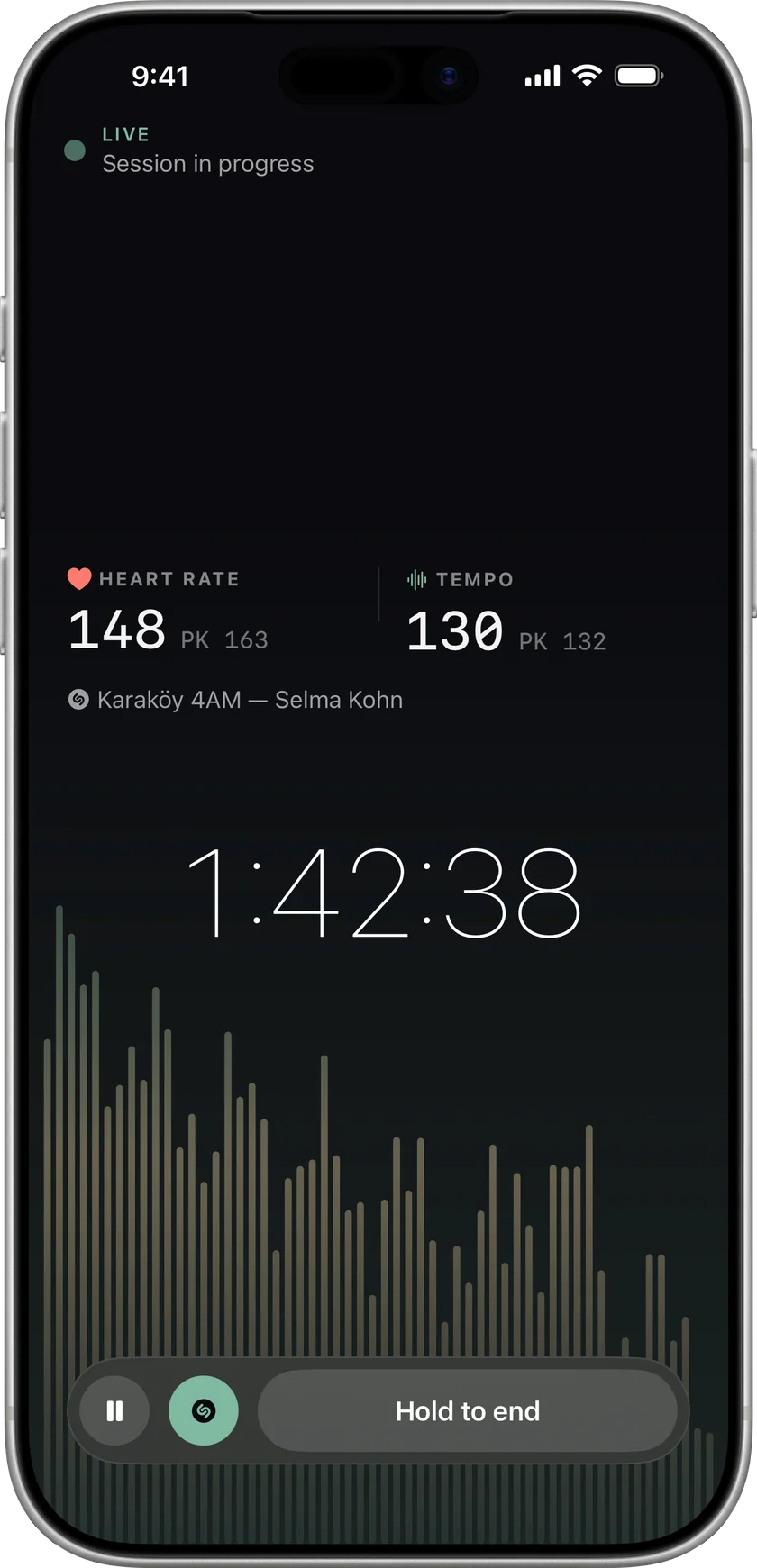
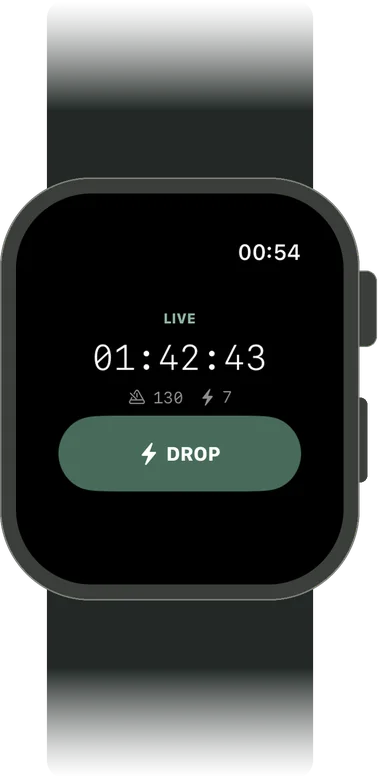
The Avarta live session, 1 hour 42 minutes into a set: heart rate 148, tempo 130 BPM, the last track identified, and the room’s spectrum moving underneath.Avarta on Apple Watch during a set: the running time, tempo, drop count and a large DROP button.

Everything in it

From soundcheck to the invoice

The set, the tracklist, the money and the scene, kept in one place — and written down while you play, not the morning after.

Live session

Level, spectrum and tempo, read on the device

Apple Watch

Heart rate, and DROP on your wrist

Track ID

The tracklist, written while you play

Share cards

Five 9:16 cards from your own set

Career stats

Hours, venues, streaks, what you play

Bookings

Set times and fees; calendar sync with Pro

Owed to you

Unpaid and invoiced, oldest first

Pro

Prep and riders

Checklists, gear and tech riders

Pro

The scene

Feed, Discover, follows and milestones

Works offline

A basement with no bars is the normal case

Live session

Start it before you go on. Forget about it until you come off.

The session runs in the background with a Live Activity on the Lock Screen, reading the room while you play. Nothing to hold, nothing to remember. Everything is measured on the device; Avarta never records or uploads audio.

  1. 1

    Start it before you go on

    One tap on the phone. The Watch picks it up and starts reading your heart rate.

  2. 2

    Mark the drops from your wrist

    Tap DROP on your Apple Watch the moment it goes off. The marker lands on the set’s timeline.

  3. 3

    End it when you come off

    The summary is ready before you have packed up: the curve, the numbers and the tracklist.
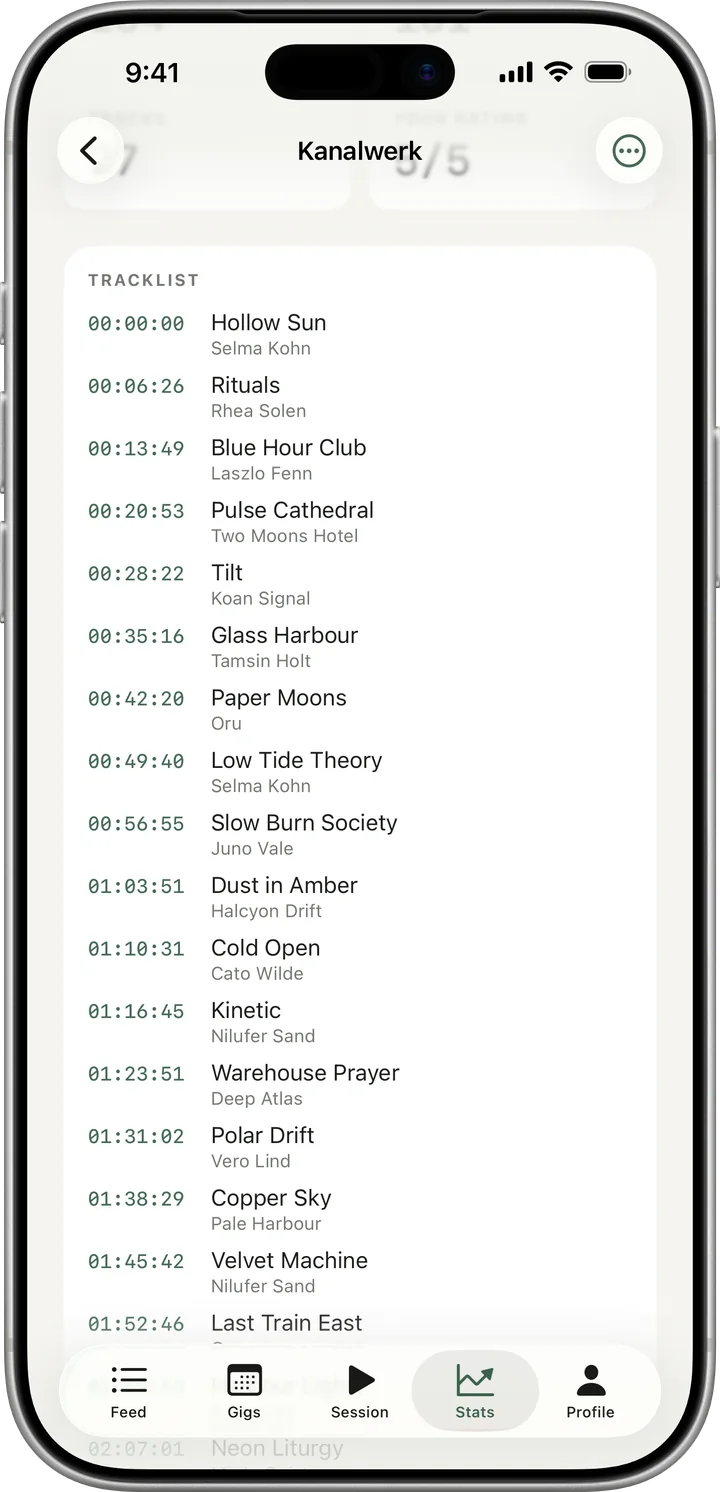
The tracklist of a set, built by Track ID while it played: each track with the time it came on and its artist.Avarta on Apple Watch during a set: the running time, tempo, drop count and a large DROP button.
Sound level
How loud the room got, read from the phone’s mic. A relative reading rather than a calibrated one, taken on the device.
Spectrum and tempo
What the room sounded like, and how fast you were driving it, minute by minute.
Heart rate
From your Apple Watch, recorded against every minute of the set.
Track ID
Opt in and Avarta builds the tracklist while you play, with the time each track came on.
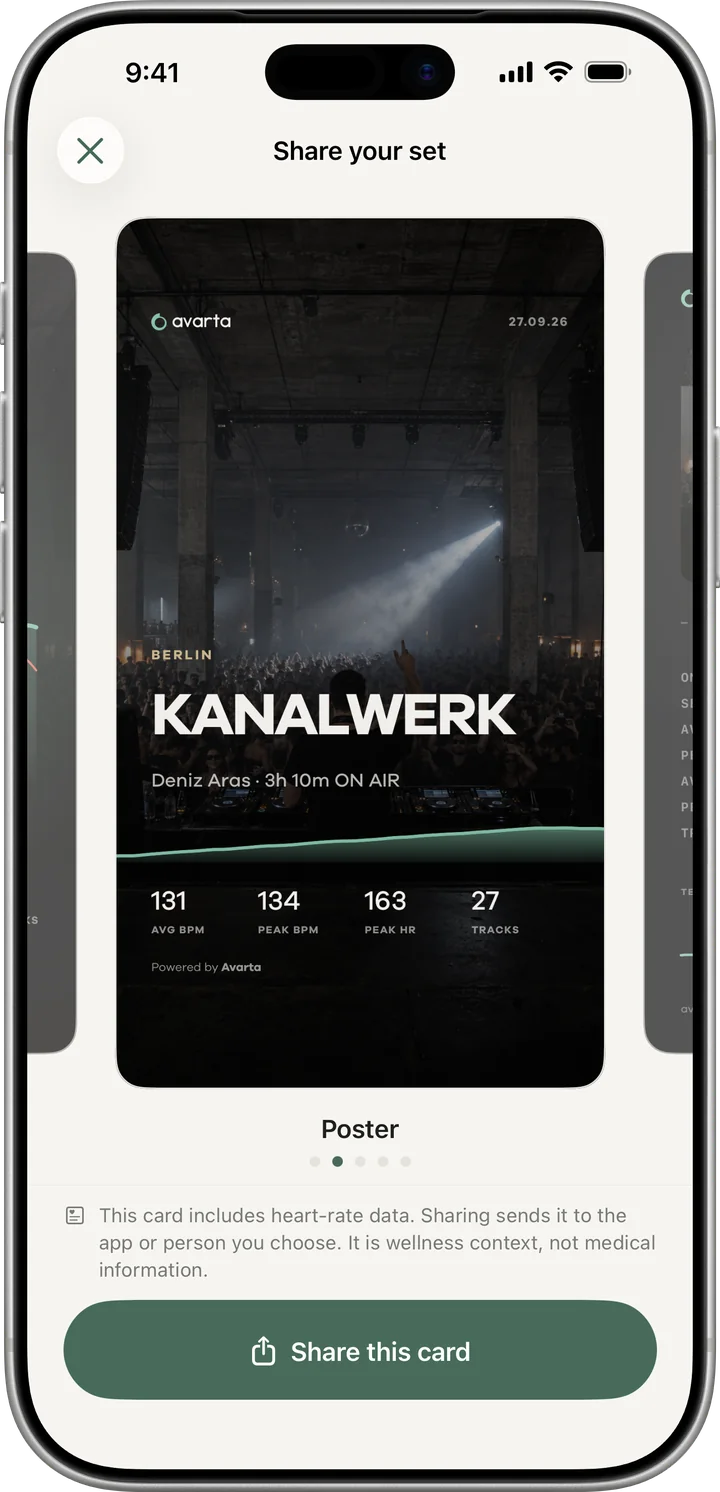
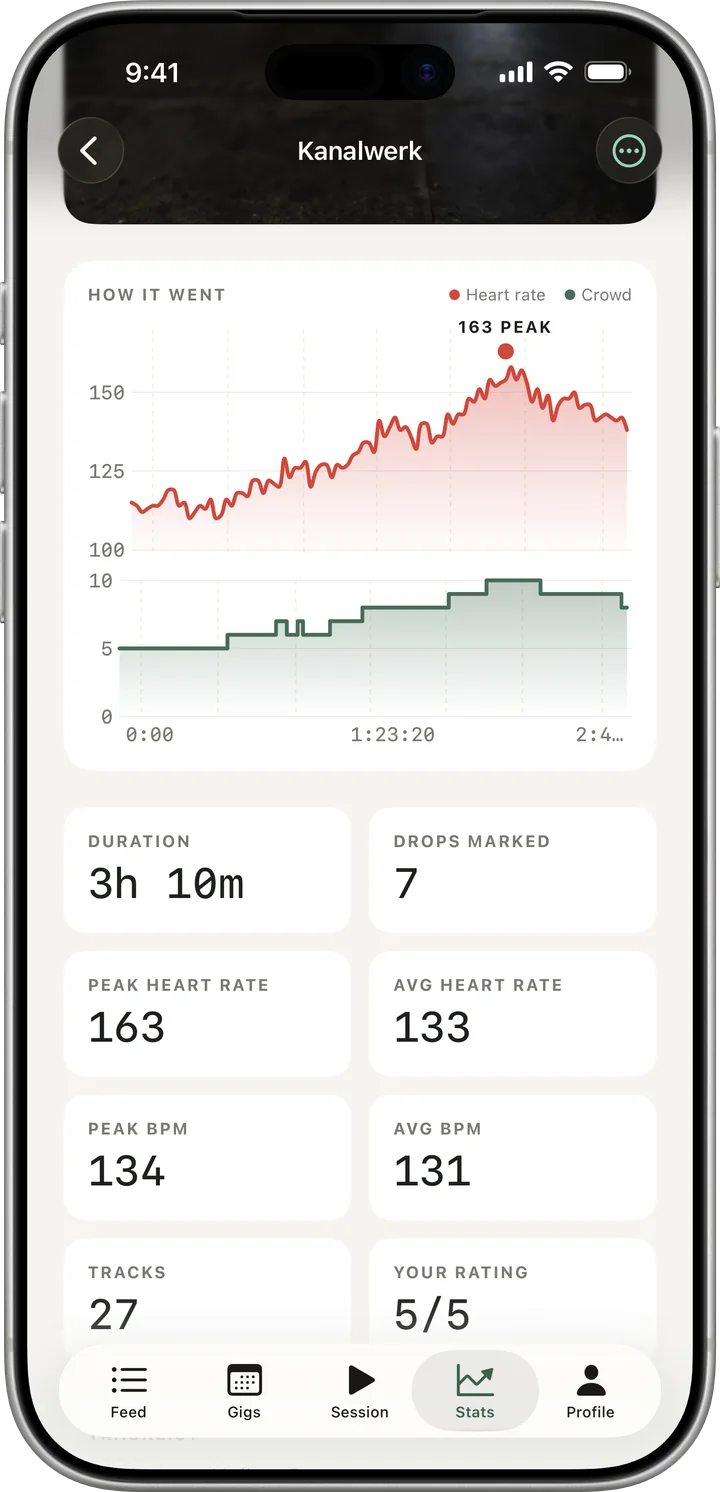
The share card picker showing the Poster card: the gig photo, KANALWERK in large type, and the set’s numbers along the bottom.A set summary for Kanalwerk, Berlin: the energy curve with heart rate and tempo, a 163 bpm peak, 3 hours 10 minutes played and 7 drops marked.

After the set

A summary before you have packed up

End the session and the night is already written down, laid out for the post you were going to make anyway.
A summary the moment you stop
Duration, the energy curve with your heart rate and tempo, peaks, drops and your own rating.
Five cards built to be posted
Trace, Poster, Stub, Dial and Terrain: 9:16 cards for Stories, drawn from the set’s own data and your photo.
The tracklist, already written
Every track Track ID caught, in order, with the minute it came on.
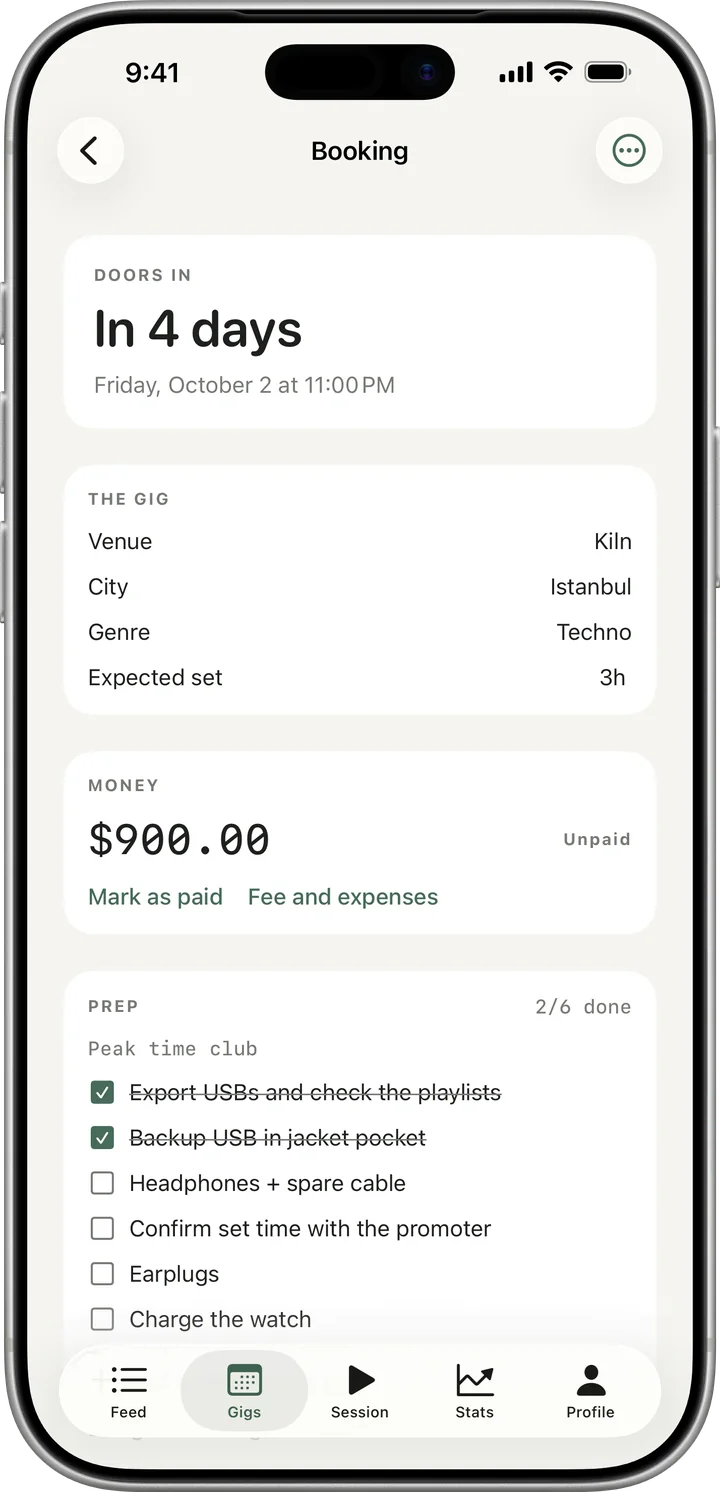
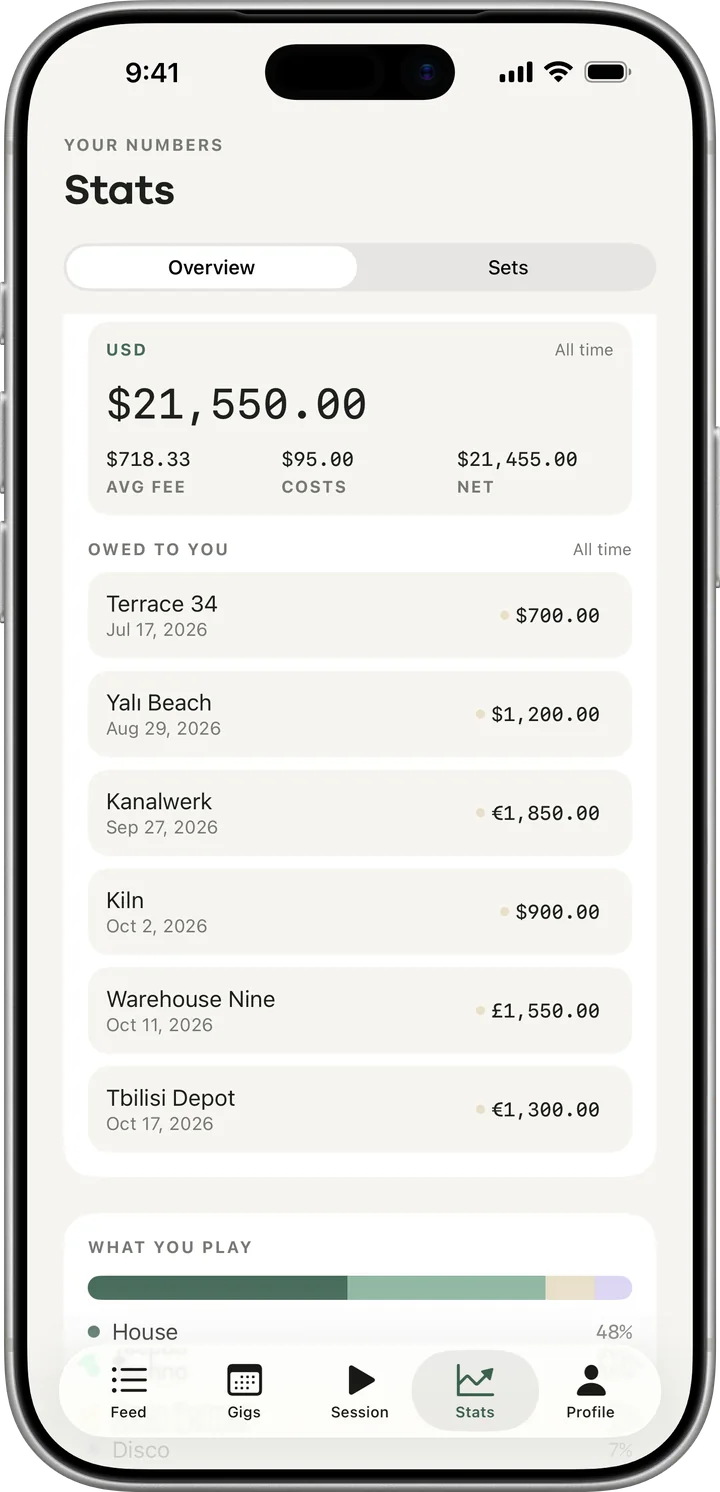
An upcoming booking at Kiln in 4 days: venue, city, genre, set length, a $900 fee marked unpaid, and the prep checklist 2 of 6 done.The money view on Stats: $21,550 earned all time, average fee and costs, and an Owed to you list of unpaid and invoiced gigs.

The business

DJ bookings and fees, in the same app as the sets

Playing is half the job. The other half is what you were paid, who has not paid it yet, what is booked next and what goes on the rider.

Fees, in the currency you were paid in
With Pro, every gig carries what it paid, in its own currency, alongside what it cost you to play it.
Unpaid, Invoiced, Paid
Pro adds three payment states and an oldest-first “owed to you” report.
Bookings that reach your calendar
With Pro, confirm a gig in Avarta and your calendar has it. Move it in Calendar and the booking follows.
Gear, riders and prep
Pro unlocks unlimited templates plus editable gear and riders; existing details remain readable on Free.

The gap

Your career lives in screenshots

There are two to three million DJs, and no tool that keeps a record of what any of them played. The night happens, and then it is gone.

A story, then nothing

You post the booth shot. It expires in 24 hours and the gig goes with it.

A spreadsheet you stopped updating

The Notion template lasted four gigs. Nobody types a venue name into a spreadsheet at 4am.

Memory, mostly

A promoter asks what you have been playing. You scroll back through a year of photos and guess.
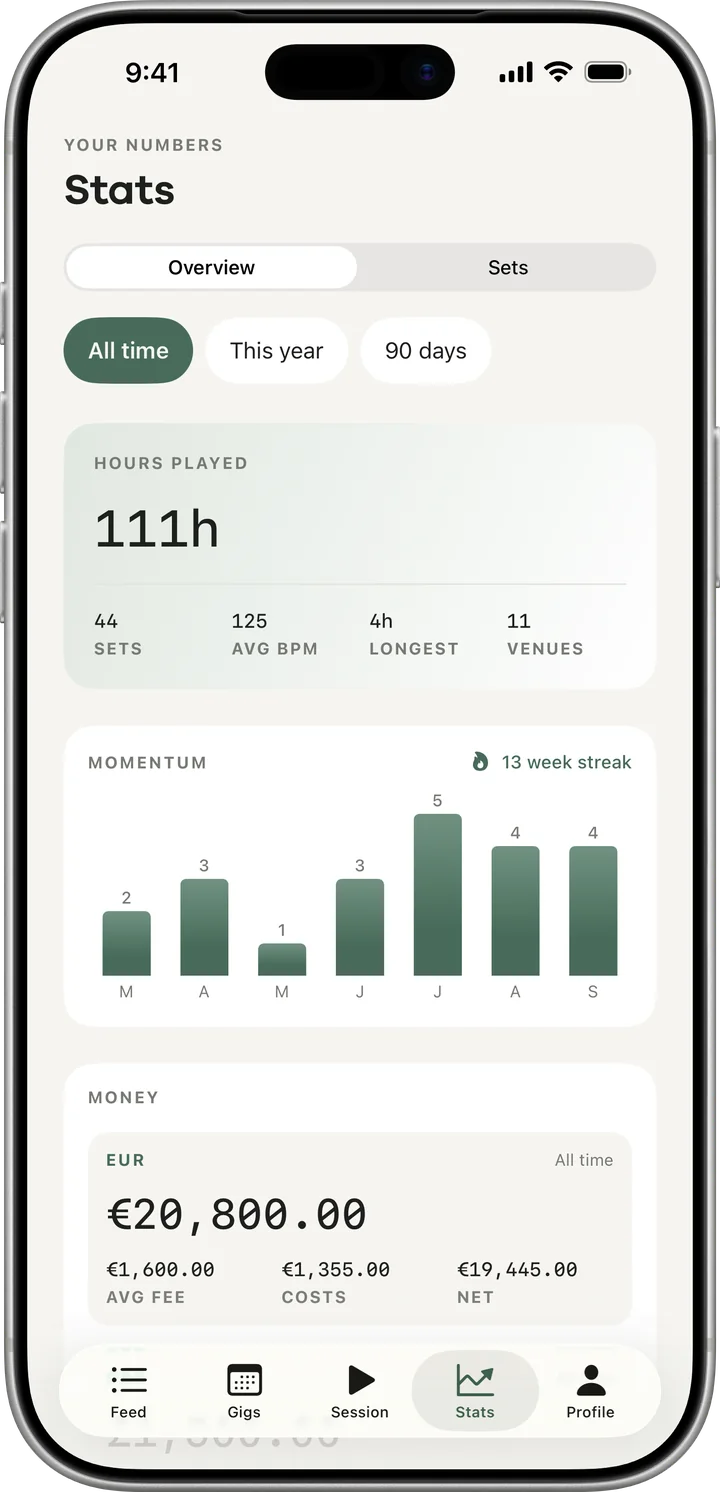
Career stats, all time: 111 hours played, 44 sets, 11 venues, a 13-week streak and a sets-per-month chart.

Career stats

A year of nights, as one picture

Every session adds to the same record: stage hours, venues, genres, personal bests. It is the answer to “tell me about your experience”.
Stage hours
Every minute you have played, added up.
Genre split
What you played across a year, by share of your sets.
Records and streaks
Longest set, busiest month and how many weeks in a row you have played.
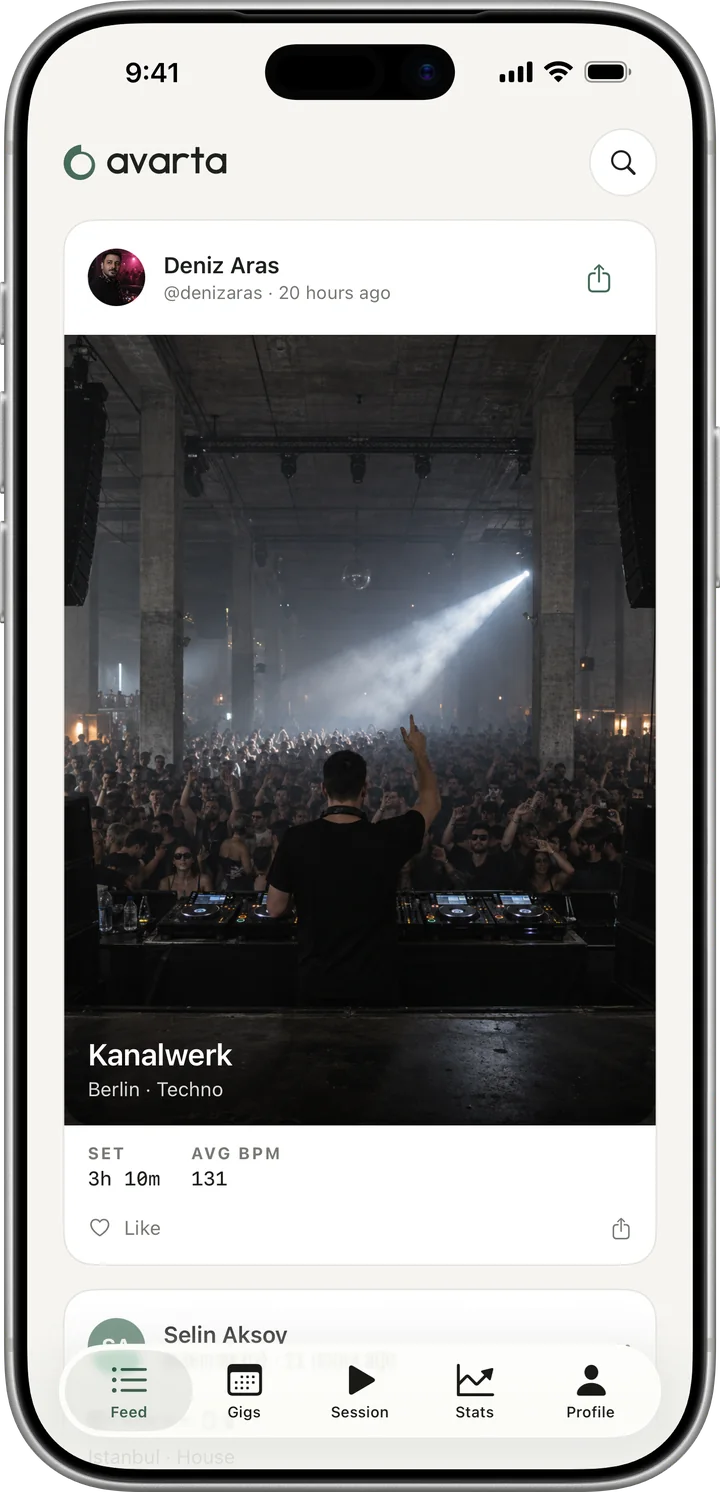
The Avarta feed: a DJ’s latest set at Kanalwerk with the photo from the booth, set length and average tempo.

The scene

A network of people who actually play

Avarta starts in Istanbul, where the scene already knows each other. The feed, Discover, follows and milestones are free and uncapped, on every account.

A feed of people who play out
Follow DJs you rate and see the sets they played, not the ones they posted about.
Milestones that land
First gig. Tenth. A hundred hours on stage.
Discover the local scene
DJs near you, filtered by genre, ranked by who has been busy this month.

Pricing

Free where it should be free

The live session, feed and share cards are uncapped on every account. Pro unlocks money editing, calendar sync, advanced stats, unlimited templates, gear and riders.

Plans

Billing period

Annual saves 48% against paying monthly.

Free

$0forever

No card, no trial clock.

The live session and social layer are uncapped. Keep all-time totals, two logged gigs and two bookings each month.

  • 2 logged gigs per calendar month
  • 2 bookings made per calendar month
  • Full live session — sound level, spectrum, BPM, drop markers
  • Apple Watch heart rate and Live Activity
  • Feed, Discover, follows and milestones
  • Share cards for Stories
  • All-time career totals
  • Existing fees, expenses and payment status, read-only
  • 1 writable prep template; existing gear and riders stay readable

Pro

Most DJs
$49.99per year

Annual starts with a 3-day free trial.

Everything above without the caps, plus fees, bookings with calendar sync, stats and riders.

  • Unlimited gigs and bookings
  • Fees, expenses and payment status — Unpaid, Invoiced, Paid
  • An oldest-first “owed to you” report
  • Two-way calendar sync for every booking
  • Unlimited prep templates, gear inventory and tech riders
  • Full stat ranges with period-on-period deltas
Download on the App StoreComing soon

Questions

Before you download

The next set you play is the first one on the record.

Free to start, and the parts you use every night stay free. iPhone, Apple Watch.

Download on the App StoreComing soon